How To Debug Issues In A WordPress Theme Correctly
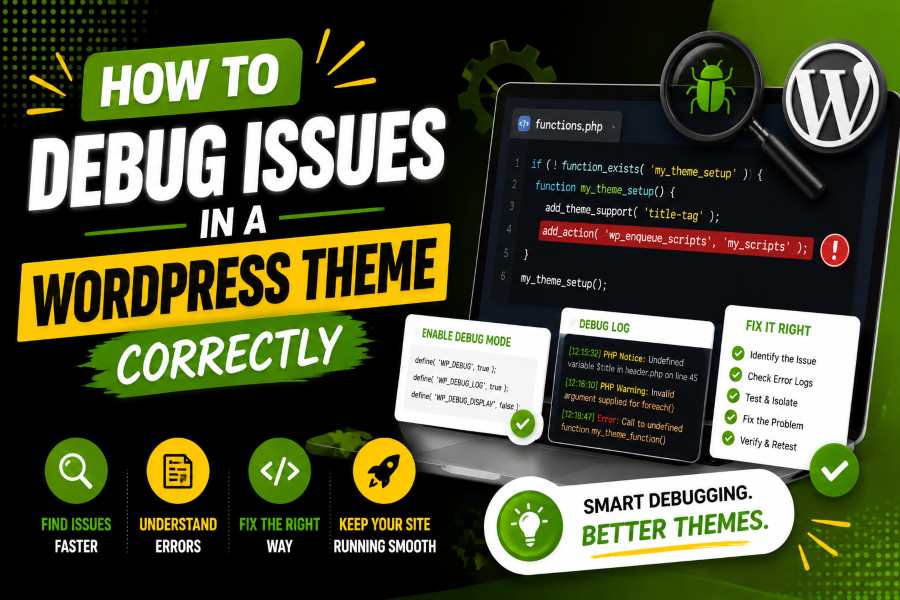
How to debug issues in a WordPress theme starts with calm testing, not guessing. A broken layout, blank page, missing menu, failed template, or slow screen can look serious, but most theme problems leave clues in logs, browser tools, template files, or recent changes.
In 2026, WordPress powers about 41.5% of all websites and holds about 59.3% of the known CMS market, so theme errors affect millions of site owners. This guide shows you how to isolate the cause, test safely, and repair the problem without worsening the live site.
A WordPress theme controls templates, layout, styles, scripts, block patterns, and many front-end decisions. Theme issues often appear as a broken header, poor mobile layout, a blank template, missing style, a failing menu, or a script that stops working after an update. A reliable theme gives you a cleaner base before you test edits, and “build amazing websites faster with premium themes” describes a theme-focused service for teams that want ready design foundations instead of starting every layout from scratch.
In 2025, mobile Core Web Vitals pass rates reached about 48%, so theme problems now affect speed, trust, and crawlability. Expert tip: Write down what changed, where the error appears, and who can see it before you touch any code.
You cannot fix what you cannot repeat, so open the exact page, device, browser, and user role where the problem happens. Test it again before editing files, because a cache refresh or a temporary server response can make the problem appear fixed when nothing has changed. In 2025, desktop Core Web Vitals rose only slightly to about 56%, so small front-end problems can still affect real users.
Record the URL path, active theme, WordPress version, PHP version, last update, visible error, and steps to trigger the issue. This note gives you a clean trail and stops you from making five changes at once. Clear testing beats guessing.
WordPress gives you built-in debugging constants inside wp-config.php. WP_DEBUG turns on debugging, WP_DEBUG_LOG saves errors to a private log, and WP_DEBUG_DISPLAY controls whether visitors see errors on the page. On a live website, log problems privately and keep public display off.
Use the log to catch fatal errors, deprecated functions, missing files, bad callbacks, and theme functions that fail during page load. Search visibility can suffer when a theme blocks crawling or breaks template output, and why is my WordPress site not showing up oN Google?” explains the search-focused side of visibility problems for site owners who need clearer indexing checks. Broken theme output can hide content or stop search engines from rendering a page.
Read recent, repeated, and fatal errors first. Useful entries show a timestamp, file path, line number, function name, and theme or plugin folder. If the log points to your active theme, test that exact file before chasing old warnings.
A default WordPress theme is one of the fastest ways to prove whether your active theme caused the problem. Switch to the current default theme on staging, reload the affected page, and repeat the same action. If the error disappears, the active theme, child theme, or theme-specific customization needs closer review.
This test separates theme logic from plugins, hosting, and WordPress core. Access errors may also come from server permissions or blocked requests, and why am I getting 403 forbidden explains that denied-access problem in plain language. That matters because a blocked stylesheet, REST request, admin page, or template file can appear to be a design failure when the server is refusing access.
If you use a child theme, test the parent theme on its own. A copied template file or an outdated override can break a page after the parent theme updates. Back up files before removing custom code.
Plugins and themes often touch the same page, so conflict testing matters. Disable plugins on staging in small groups, retest the broken page, and reactivate them one by one until the issue disappears. Do not blame the final plugin too quickly because a theme can load scripts in the wrong order, skip wp_footer(), modify queries badly, or override plugin templates.
In 2026 security reporting, vulnerability exploitation became a leading breach starting point at about 31% of reviewed breaches. That makes outdated theme and plugin combinations a security problem. Keep notes with plugin names, versions, test results, and the exact page tested.
WordPress chooses templates through a hierarchy, so the file you edit may not be the file WordPress loads. A category page may use category.php, archive.php, or index.php, while a single post may use single.php, singular.php, or a block template. If you debug the wrong file, your change will not affect the page.
Use Query Monitor, inspect the block theme template assignment, or add a harmless staging comment to confirm the loaded file. Expert tip: Do not edit random template files until you prove they load.
Many theme issues are not PHP issues. A page can load while CSS hides content, JavaScript blocks a menu, or a failed file breaks a slider, form, or sticky header. Open browser developer tools and check the Console and Network tabs before rewriting theme code.
Look for JavaScript errors, 404 files, blocked mixed content, failed AJAX calls, missing fonts, and requests returning 403 or 500 responses. Sometimes debugging also involves testing how different frontend outputs render in real scenarios, similar to how tools like Random Animal Generator quickly generate varied outputs to help spot inconsistencies in display behavior across layouts.
In 2025, WordPress had about a 45% mobile Core Web Vitals pass rate, so test mobile layout, script size, and render-blocking assets. Clear minification and cache after each test.
The functions.php file can break a whole website with one bad callback. Review recent additions, custom hooks, shortcodes, enqueue functions, query filters, image sizes, login redirects, and WooCommerce or LMS customizations. If the error log mentions a theme function, search for that function name and inspect the hook that runs it.
WordPress 6.8 arrived in April 2025 with developer-facing refinements, so older snippets deserve fresh testing. Hooks become risky when a function runs too early, receives the wrong data type, or assumes a plugin exists. Use guard clauses and check whether a function, class, or plugin is available before your theme calls it.
A theme can look like it is working and still feel broken to visitors. Slow template loops, heavy database queries, unoptimized hero images, too many font files, and repeated metadata calls can make pages freeze or time out. Debugging should include speed because performance issues often look like random failures.
Look for repeated WP_Query calls inside loops, uncached term lookups, large background images, and scripts loaded on pages that do not need them. A professional SaaS Development Company can also help identify performance problems in complex WordPress integrations and custom web applications.
In 2025, many CMS platforms improved their Core Web Vitals scores, but WordPress still required careful theme and plugin choices to compete with more controlled platforms.
Expert tip: A slow page is often a theme bug in disguise.
Never make risky theme fixes directly on a live website. Use a staging copy, back up files, apply one change at a time, and retest. If you’re learning setup concepts, WordPress Without Hosting can help you understand how WordPress works before going live.
A good fix is small, reversible, and evidence-based. Replace a broken function call, update a deprecated hook, correct an enqueue dependency, restore a missing template part, or remove an outdated child theme override. After the fix, clear the browser cache, page cache, object cache, CDN cache, and CSS optimization before you confirm the result.
Debugging can expose sensitive information when handled carelessly. Public error messages may reveal server paths, usernames, plugin names, theme files, and database details. Keep logs private, limit admin access, and use Permitiro when you need better control over who can access protected resources.
Use maintenance mode only when the front end is unstable. If one page is broken, work on that exact template in staging. In 2026 breach reporting, more than 31,000 incidents were reviewed, and some summaries reported only 26% of critical vulnerabilities remediated in 2025, with a 43-day median patch time. Ransomware also appeared in about 48% of breaches, which shows why public debugging and slow patching deserve serious attention.
A checklist keeps you from skipping the obvious. Start with recent changes, reproduce the problem, enable safe logs, check browser errors, switch themes, test plugins, inspect templates, review hooks, clear cache, and confirm the fix. This order works because it moves from evidence to isolation to repair.
A checklist also helps teams compare notes and avoid repeated guessing. It turns debugging from stress into a repeatable workflow. That is how you fix theme issues faster without damaging the live site.
How to debug issues in a WordPress theme becomes easier when you slow down and follow evidence. Start by reproducing the problem, then enable safe logging, check browser errors, test a default theme, disable plugins carefully, and inspect the exact template that loads. Do not ignore performance, permissions, caching, or old child theme overrides because these often create problems that look like pure design bugs.
Use staging before live edits, keep public errors hidden, and make one change at a time so you know what solved the issue. With this approach, you protect visitors, reduce downtime, and build a cleaner theme that is easier to maintain after future WordPress, PHP, plugin, and security updates.
Reproduce the issue, check the debug log, and switch to a default theme on staging.
Yes, but log errors privately and do not display them to visitors.
It may use old functions, outdated templates, weak plugin assumptions, or child theme overrides.
Yes, plugins can change scripts, styles, queries, shortcodes, blocks, and templates.
It may load too many assets, run heavy queries, use large images, or enqueue scripts everywhere.
Check Console errors, Network failures, missing files, blocked requests, AJAX calls, and mobile layout behavior.
Use the WordPress template hierarchy, Query Monitor, block theme details, or a safe staging comment test.
Yes, old copied templates, bad functions, or outdated overrides can break a site.
Staging protects your live visitors from failed code, public errors, and downtime.
Use hosting tools like file manager, FTP, or recovery mode to regain access.
Build stunning portfolios and agency websites with a modern, flexible, and fully customizable WordPress theme powered by Elementor.